Build an AWS Data Lake with S3, Glue & Athena
AWS Data Engineer Roadmap
Build a serverless data lake by hand — S3, Glue Data Catalog, two crawlers, a PySpark ETL job, and Athena SQL — with a CSV-vs-Parquet cost comparison at the end.
Chapter 2 of 6 — AWS Data Engineer Roadmap
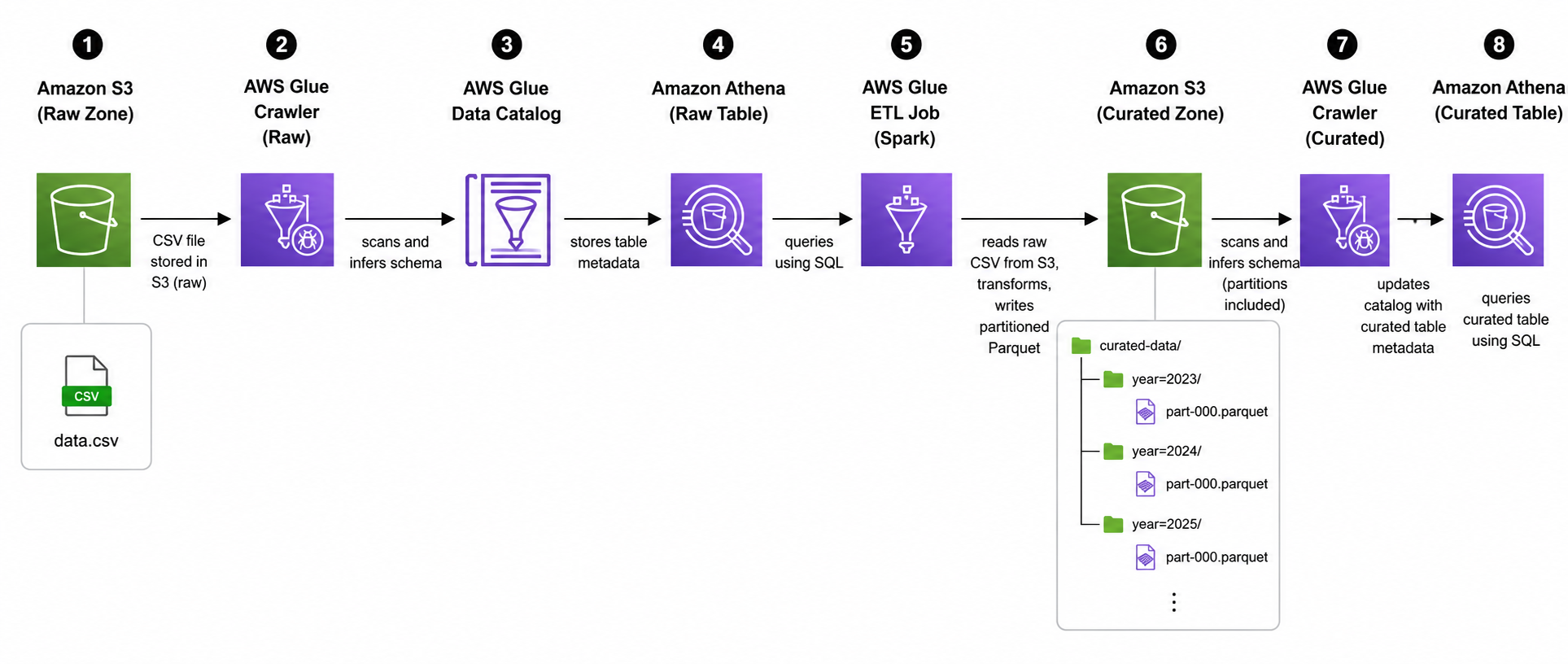
By the end of this chapter you'll have a working data lake on AWS — the same pattern companies use to land raw data, catalog it, transform it, and query it with SQL, without running a single database server.
S3 (raw CSV) → Glue Crawler → Glue Data Catalog → Athena (SQL)
                                      ↓
                              Glue ETL Job (Spark)
                                      ↓
                  S3 (curated Parquet) → Glue Crawler → Athena (SQL)
Unlike a lot of tutorials where the infrastructure magically already exists, you're building every piece of this yourself in the AWS console: the S3 buckets, the Glue database, both crawlers, and the ETL job.
Time: ~90 minutes, including a self-serve assignment at the end.
This chapter is one of beCloudReady's free, live, hands-on sessions — we run it end-to-end on Microsoft Teams with sandbox AWS credentials provisioned for everyone who registers, no AWS bill risk. Following along solo on your own AWS account works too; everything below is self-contained, and the IAM role/policy JSON this lab assumes is in the GitHub repo.
Why this matters
Most companies don't pour every dataset into a single expensive database. Instead they "land" raw files cheaply in object storage (S3), describe that data's shape in a shared catalog, and let analysts query it on demand — paying only for the data each query actually scans. That's the data lake pattern, and it's the foundation almost every AWS data/analytics architecture builds on (data warehousing, ML feature pipelines, BI dashboards, log analytics).
By the end of this chapter you'll understand, hands-on, why companies convert raw CSV into Parquet, what a Glue Crawler actually does, and how Athena lets you run SQL over S3 without provisioning a database — because you'll have wired up each piece yourself, not just clicked "Run" on something pre-built.
What your instructor gave you
| Value | |
|---|---|
| Glue service role | quicklabs-<USER>-glue-role (already exists — you'll select it, not create it) |
| Athena workgroup | quicklabs-<USER>-wg (already exists — you'll switch to it, not create it) |
| Dataset + script | Crude_Oil_historical_data.csv and oil_csv_to_parquet.py, sent to you separately — download both before Part 3 |
Throughout this chapter, <USER> means your slug — everything in your username before the @. If your login is suresh-raina@quicklabs.internal, your <USER> is suresh-raina (the whole hyphenated thing, not just suresh).
⚠ Every resource you create must be named
quicklabs-<USER>-...(orquicklabs_<USER>_...for Glue databases, which can't contain hyphens — use underscores instead of the hyphens in your slug there too). Your policy only allows actions on resources matching your own namespace — get the slug wrong and you'll seenot authorized to perform ... because no identity-based policy allows the action.
Resources you'll create yourself
| Resource | Name you'll give it |
|---|---|
| Raw bucket | quicklabs-<USER>-raw |
| Curated bucket | quicklabs-<USER>-curated |
| Scripts bucket | quicklabs-<USER>-scripts |
| Glue database | quicklabs_<USER>_lake (note underscores) |
| Raw crawler | quicklabs-<USER>-raw-crawler |
| ETL job | quicklabs-<USER>-oil-etl |
| Curated crawler | quicklabs-<USER>-curated-crawler |
Part 1 — Create your S3 buckets
You need three buckets: one for raw data, one for the transformed (curated) output, and one to hold the ETL script.
1.1 Create the raw bucket
- Select S3 service from the AWS Console.
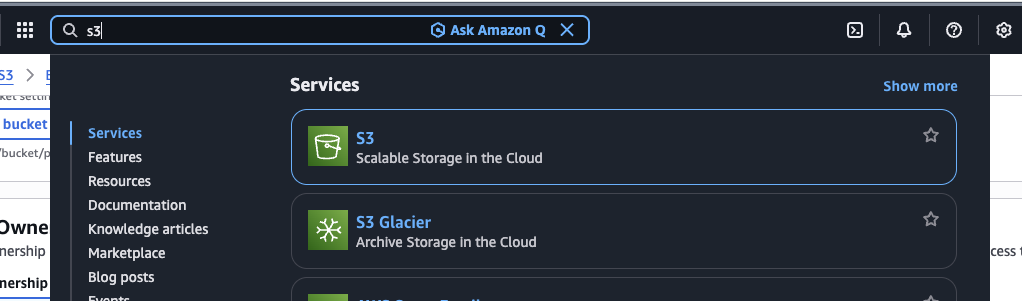
- S3 → Create bucket. Bucket name:
quicklabs-<USER>-raw(must match your namespace exactly).
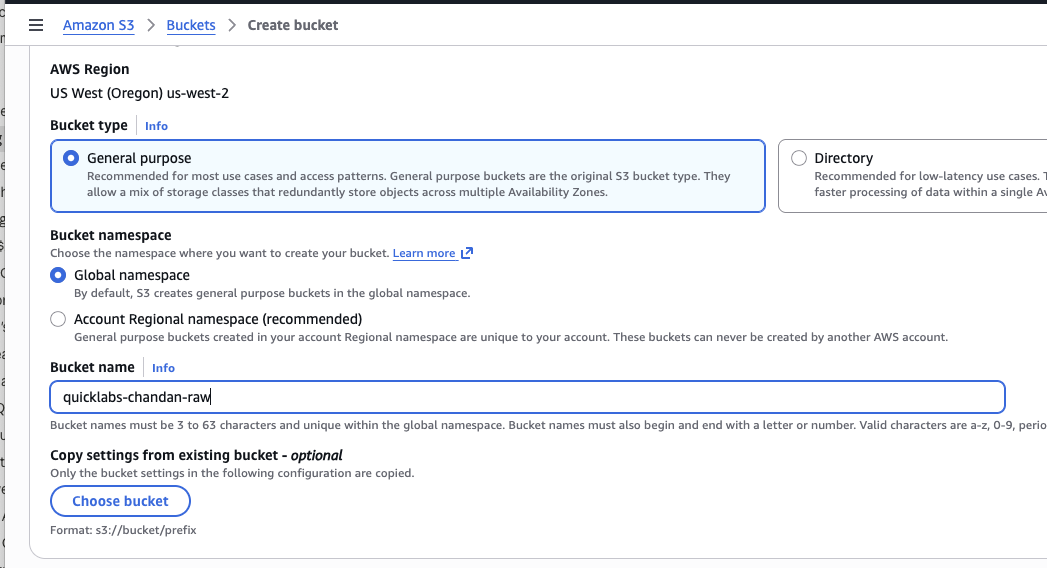
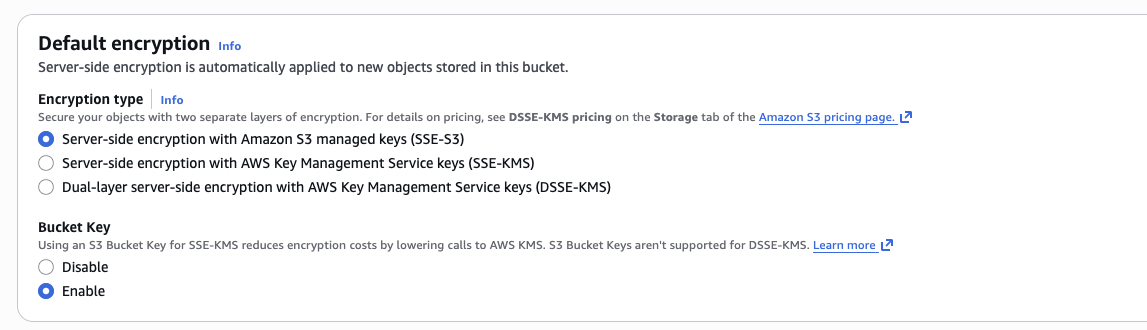
Leave Block all public access checked, and default encryption (SSE-S3) on — your policy requires this. Keep "Block Public Access" on since Glue and Athena will access the bucket through IAM, not public URLs. Also keep versioning disabled — this lab doesn't use cross-region replication or S3 lifecycle features.
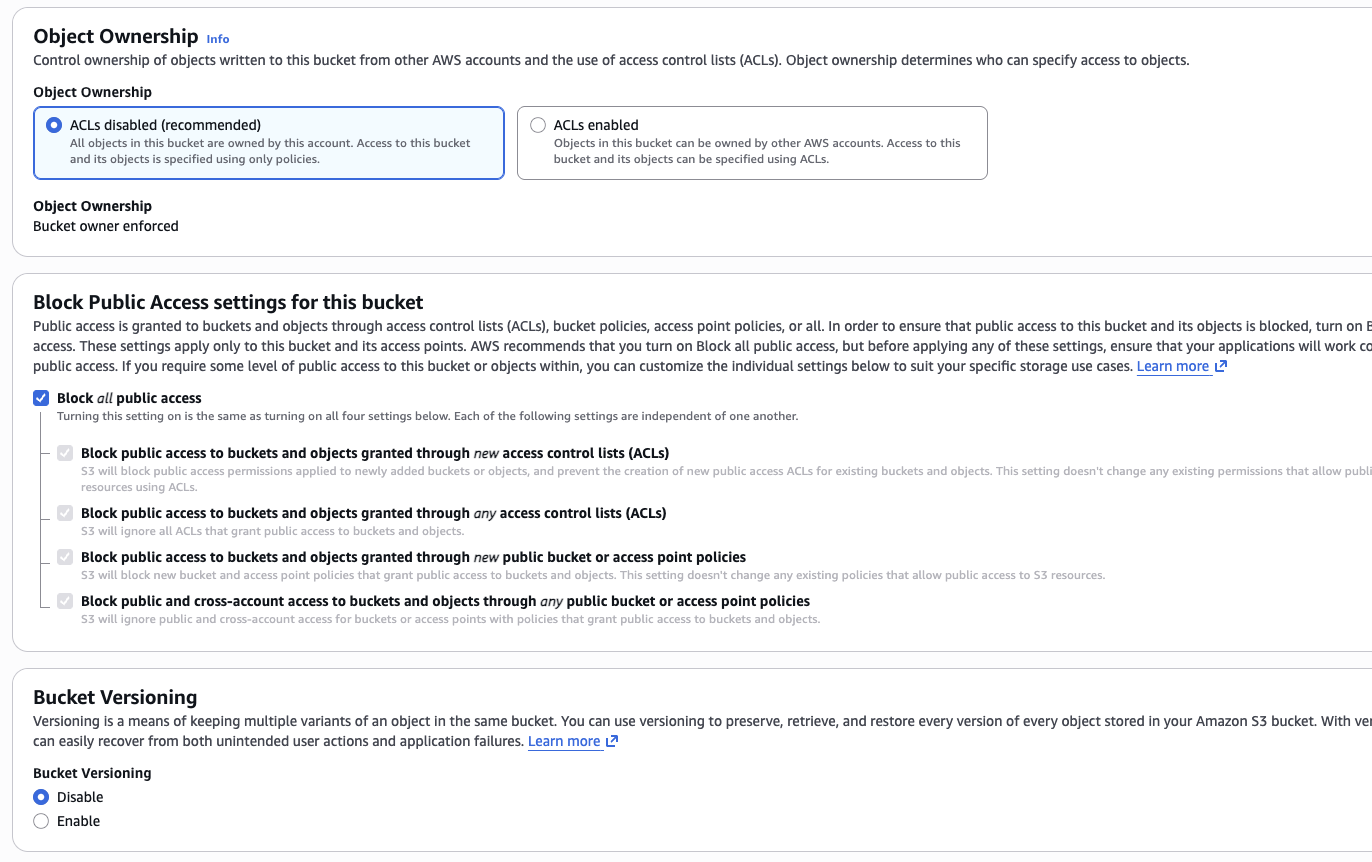
Keep the default option for server-side encryption.
1.2 Repeat for curated and scripts
Same steps, names quicklabs-<USER>-curated and quicklabs-<USER>-scripts.
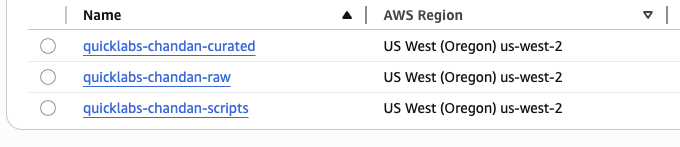
If bucket creation fails with
AccessDenied, double-check the name starts with exactlyquicklabs-<USER>-— typos here are the #1 source of denied errors in this lab.
Part 2 — Upload your data and script
2.1 Download the files
Download Crude_Oil_historical_data.csv and oil_csv_to_parquet.py from the link/attachment your instructor sent.
2.2 Upload the CSV to your raw bucket
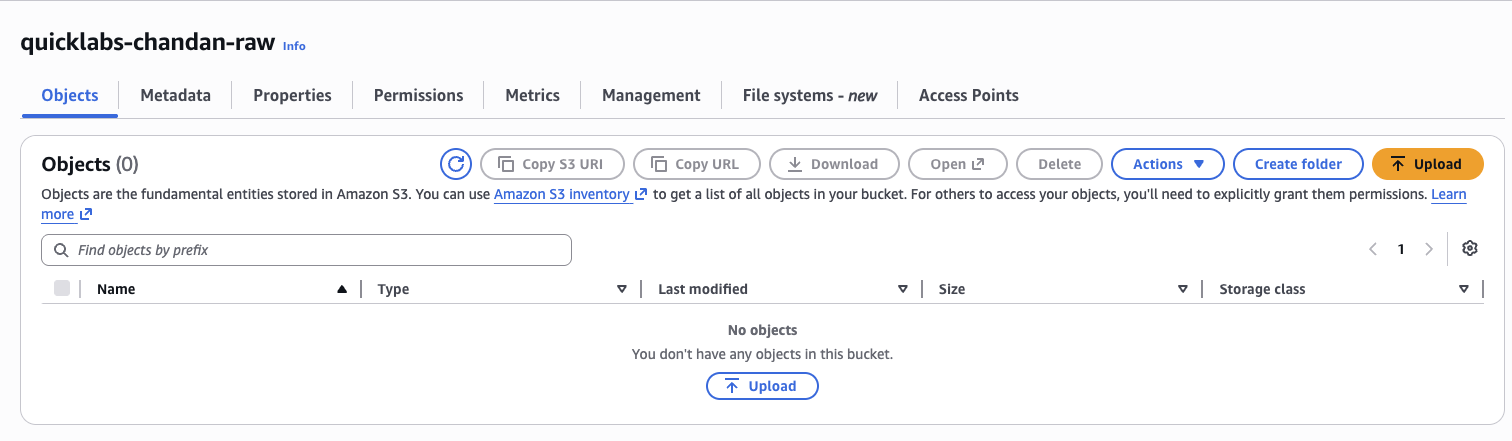
- S3 →
quicklabs-<USER>-raw→ Create folder → name itoil.
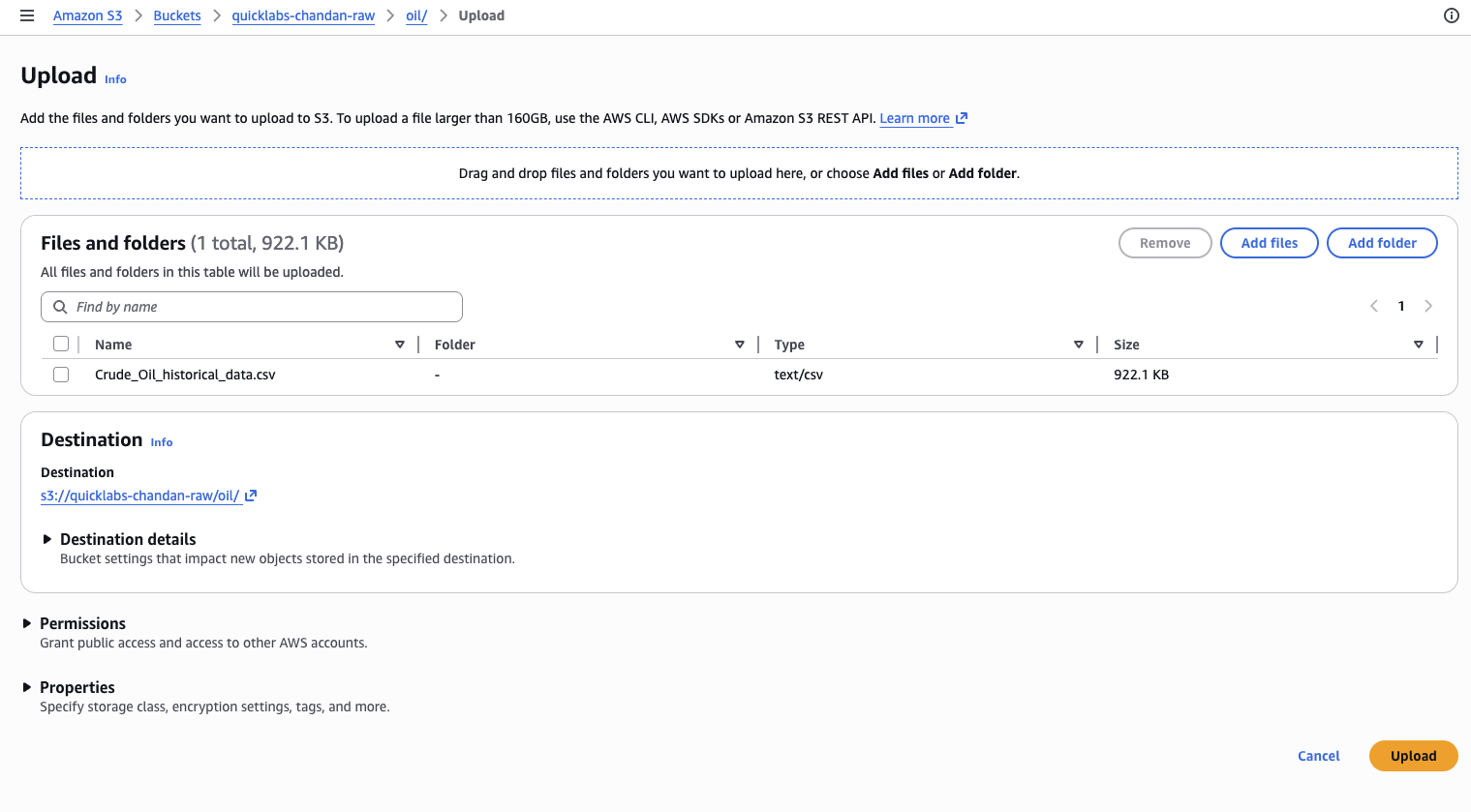
- Open the
oil/folder → Upload → addCrude_Oil_historical_data.csv→ Upload.
2.3 Upload the script to your scripts bucket
S3 → quicklabs-<USER>-scripts → Upload → add oil_csv_to_parquet.py → Upload. (No subfolder needed here.)
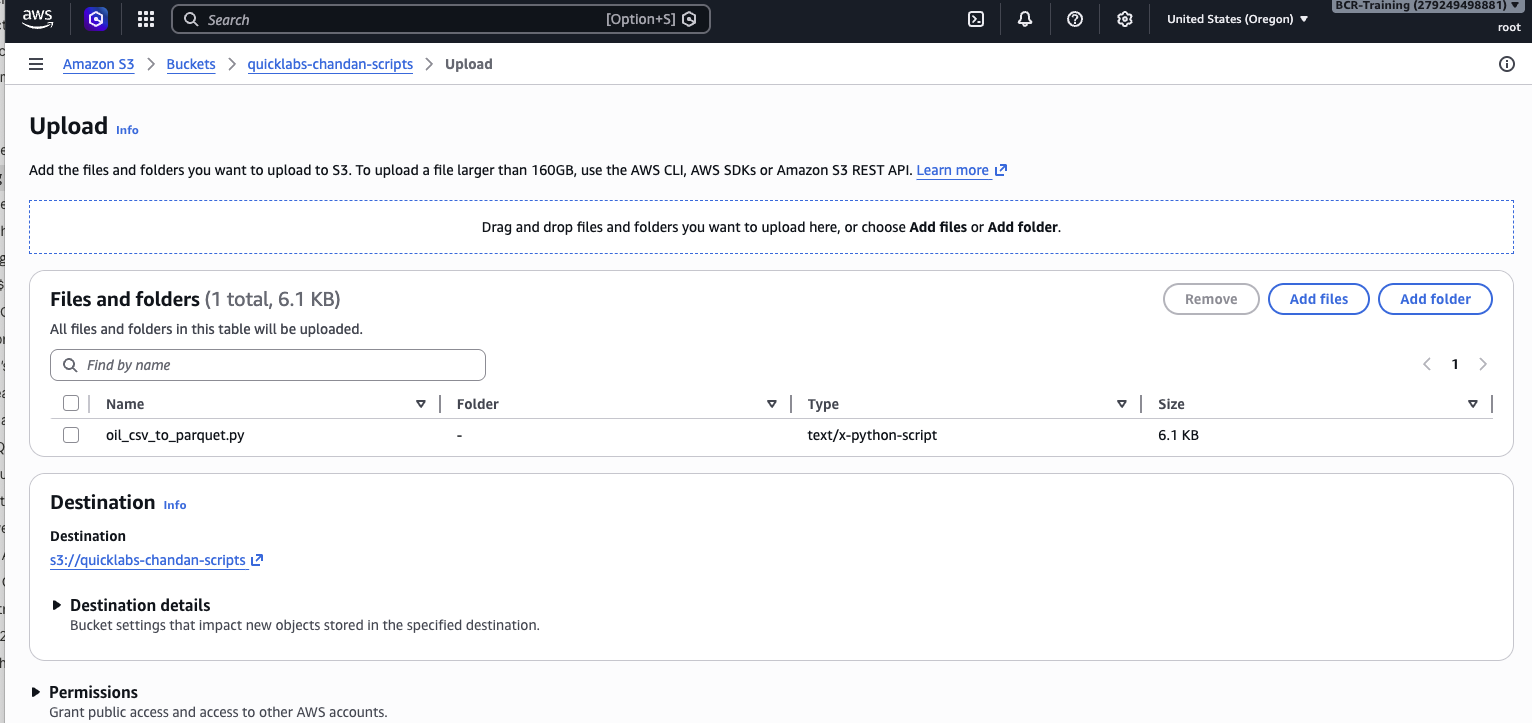
Confirm both objects landed: s3://quicklabs-<USER>-raw/oil/Crude_Oil_historical_data.csv and s3://quicklabs-<USER>-scripts/oil_csv_to_parquet.py.
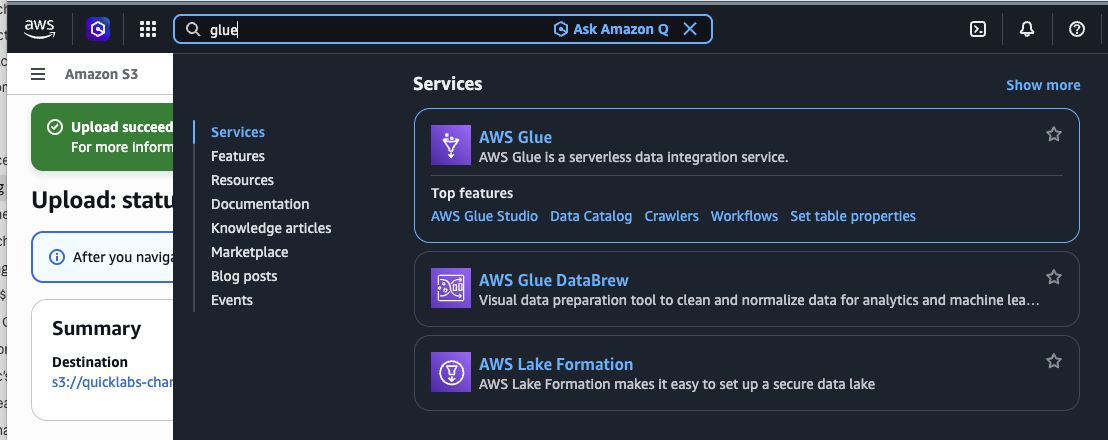
Part 3 — Create your Glue database
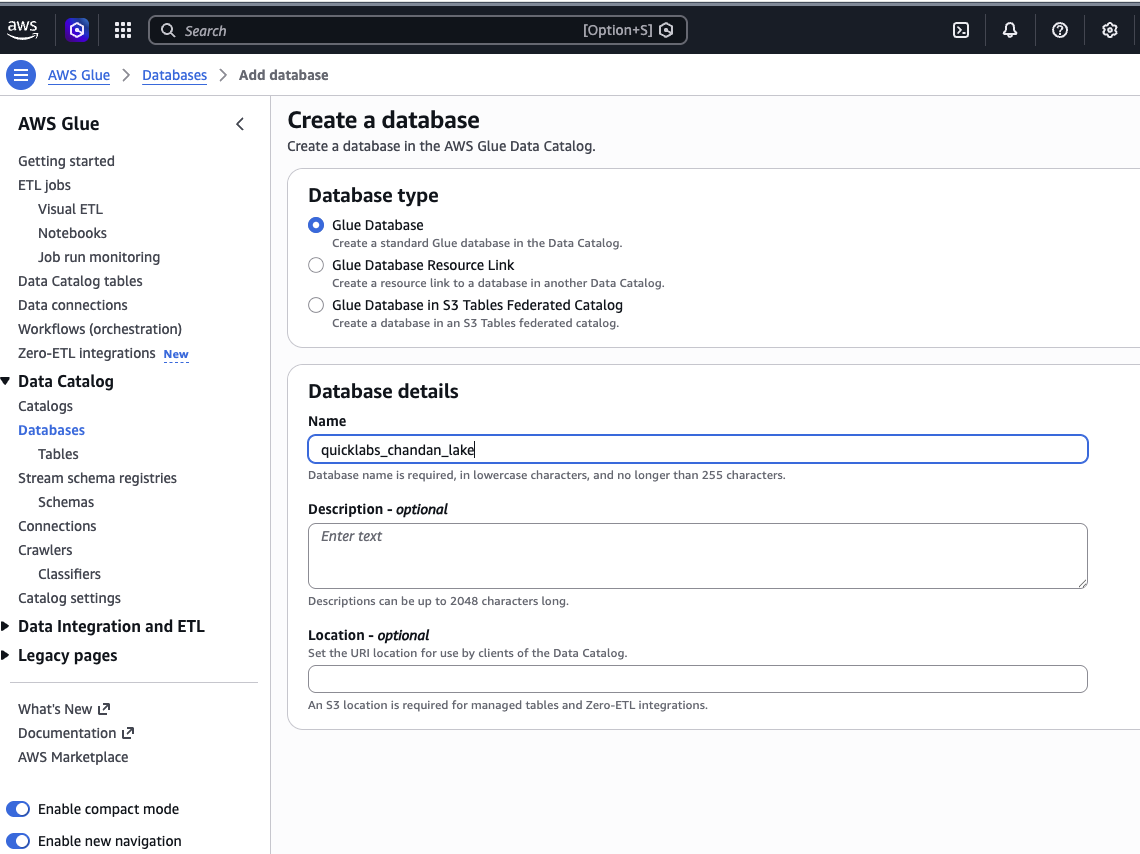
AWS Glue → Data Catalog → Databases → Add database.
- Select the AWS Glue service.
- Name:
quicklabs_<USER>_lake(underscores, not hyphens — Glue databases can't contain hyphens) - Location: leave blank
- Create database.
🤖 Ask AI — what a Glue database actually is
In AWS Glue, what is a "database" really, given that it doesn't store any
rows itself? Explain how it relates to the Glue Data Catalog and to the
tables a crawler will register inside it, in plain English for someone
who has only used traditional relational databases before.
Part 4 — Create and run the raw crawler
A Glue Crawler scans a folder in S3, infers a schema, and registers a table in the Glue Data Catalog. The underlying file never moves — the crawler only writes metadata.
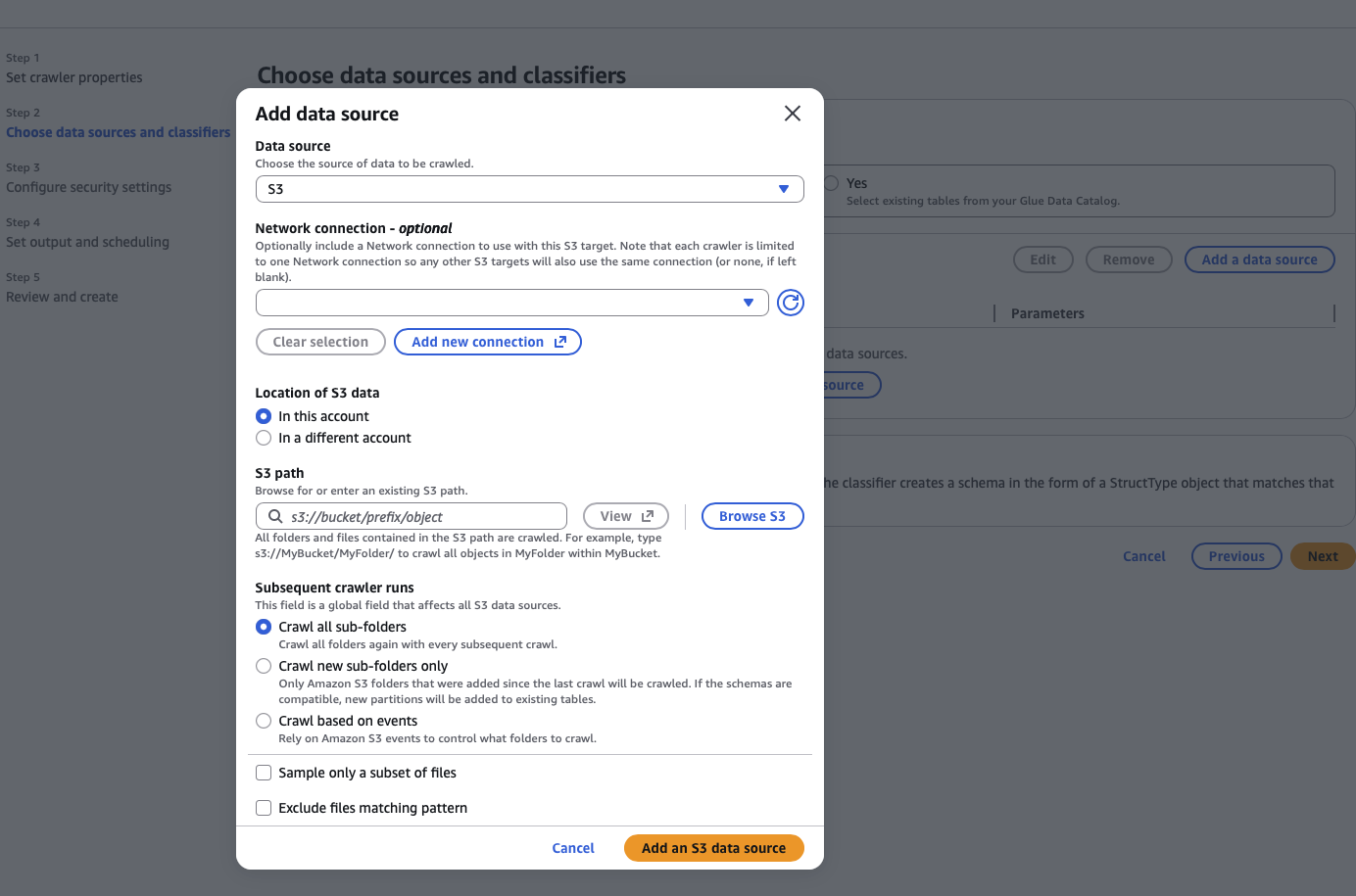
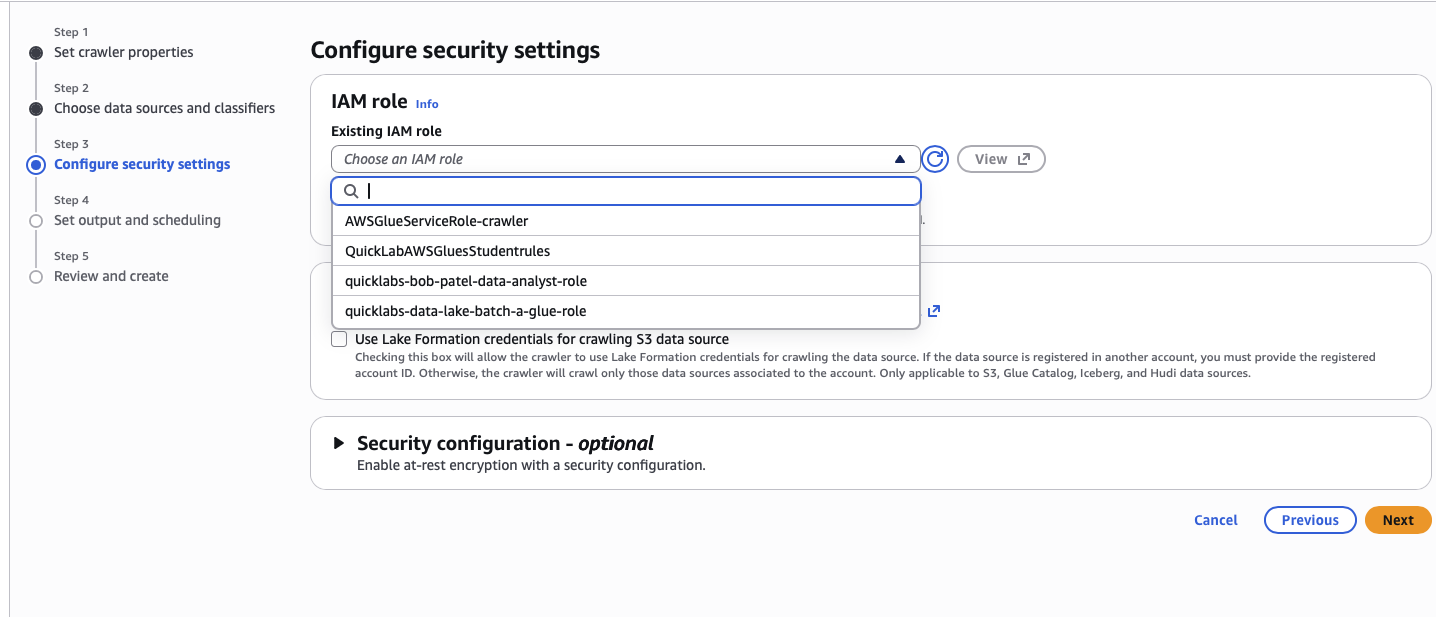
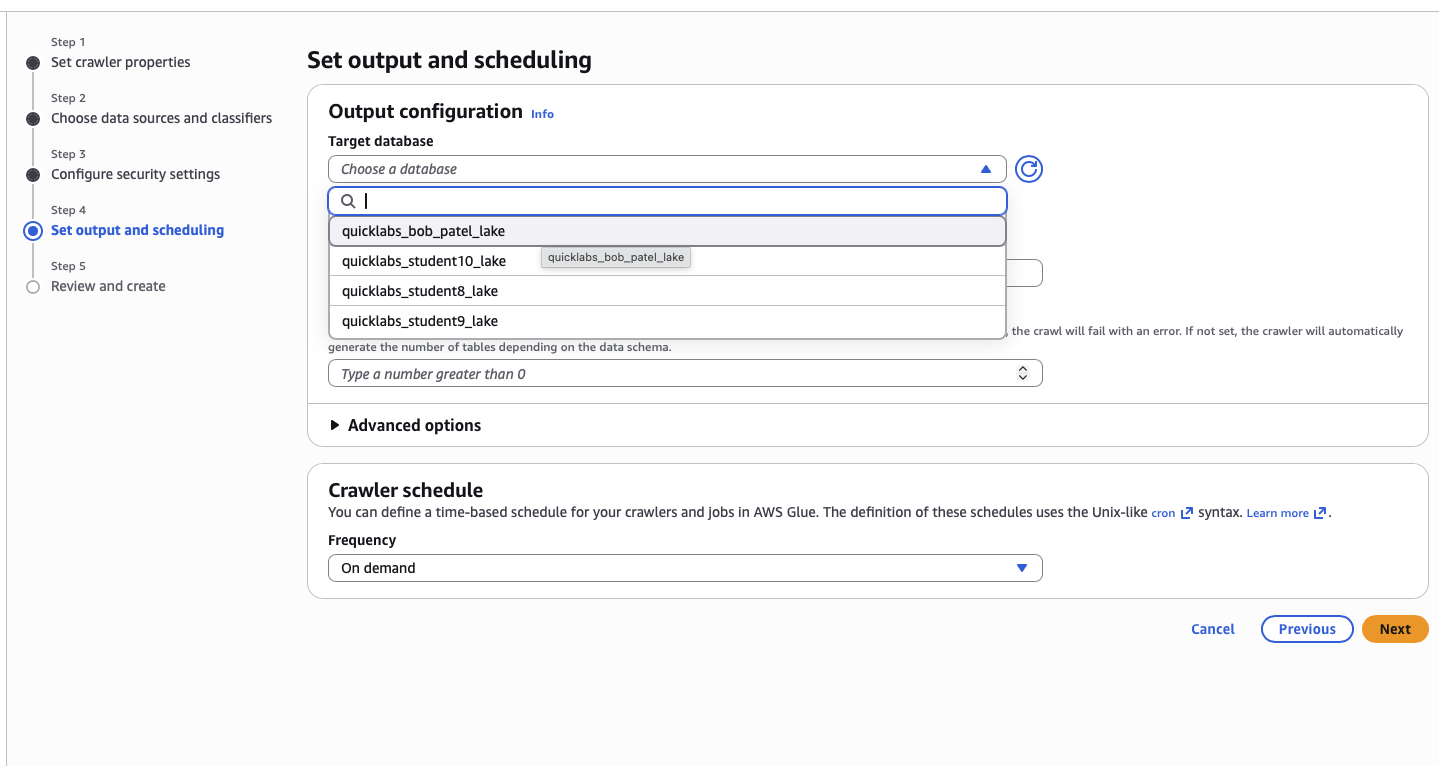
4.1 Create the crawler
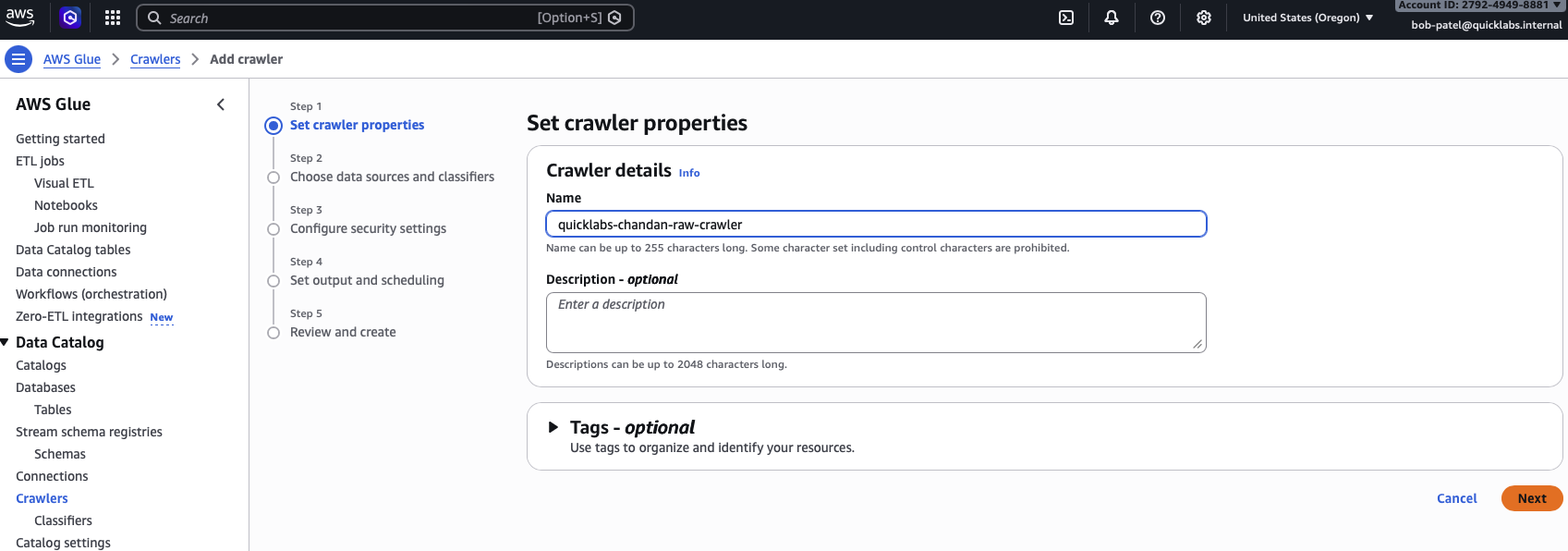
Glue → Crawlers → Create crawler.
- Name:
quicklabs-<USER>-raw-crawler. - Data source: Add a data source → S3 → browse to
s3://quicklabs-<USER>-raw/oil/. - IAM role: Choose an existing IAM role →
quicklabs-<USER>-glue-role. - Target database:
quicklabs_<USER>_lake. - Table prefix:
raw_. - Frequency: On demand.
- Review and Create crawler.
4.2 Run it
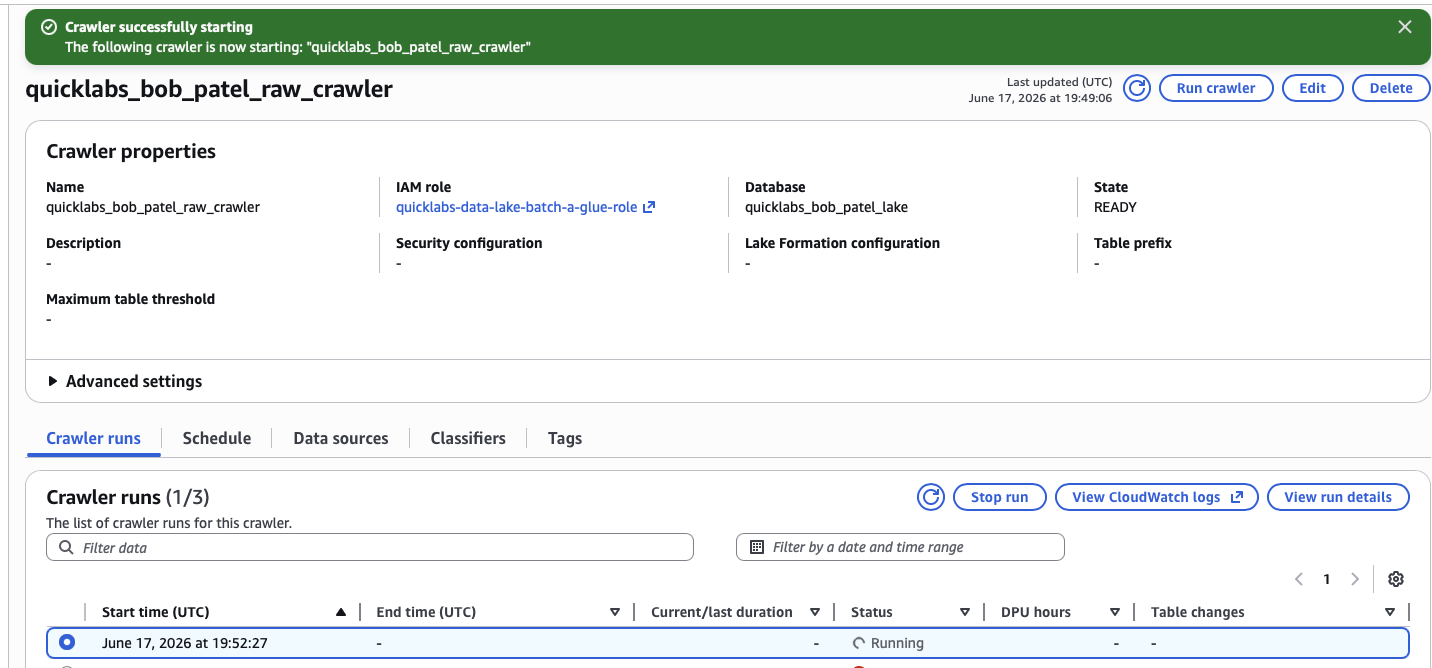
Select your new crawler → Run. Watch the status: Starting → Running → Stopping → Ready (~1-2 minutes).
4.3 Confirm the table appeared
Glue → Databases → quicklabs_<USER>_lake → Tables → you should see a new table raw_oil.
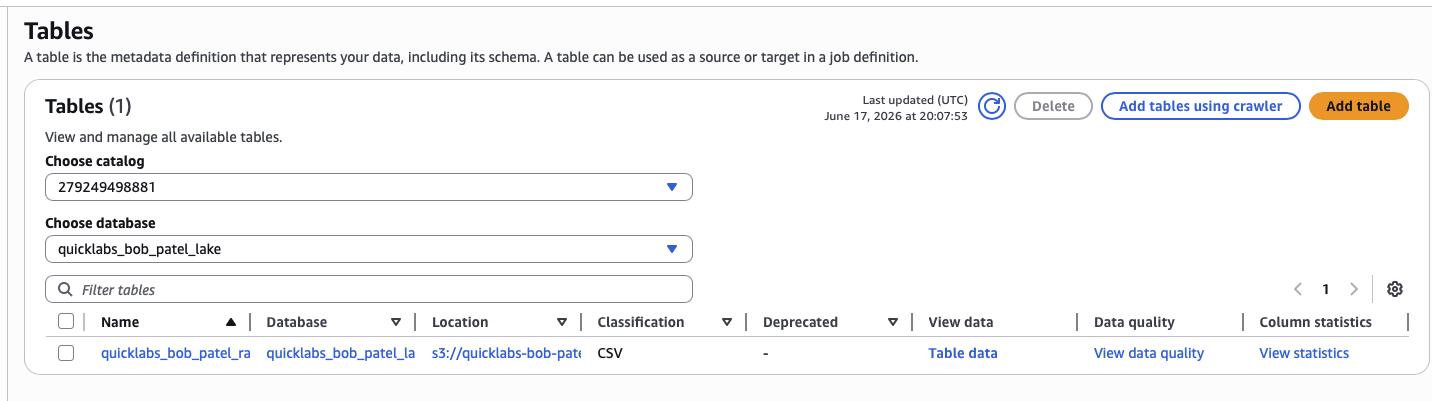
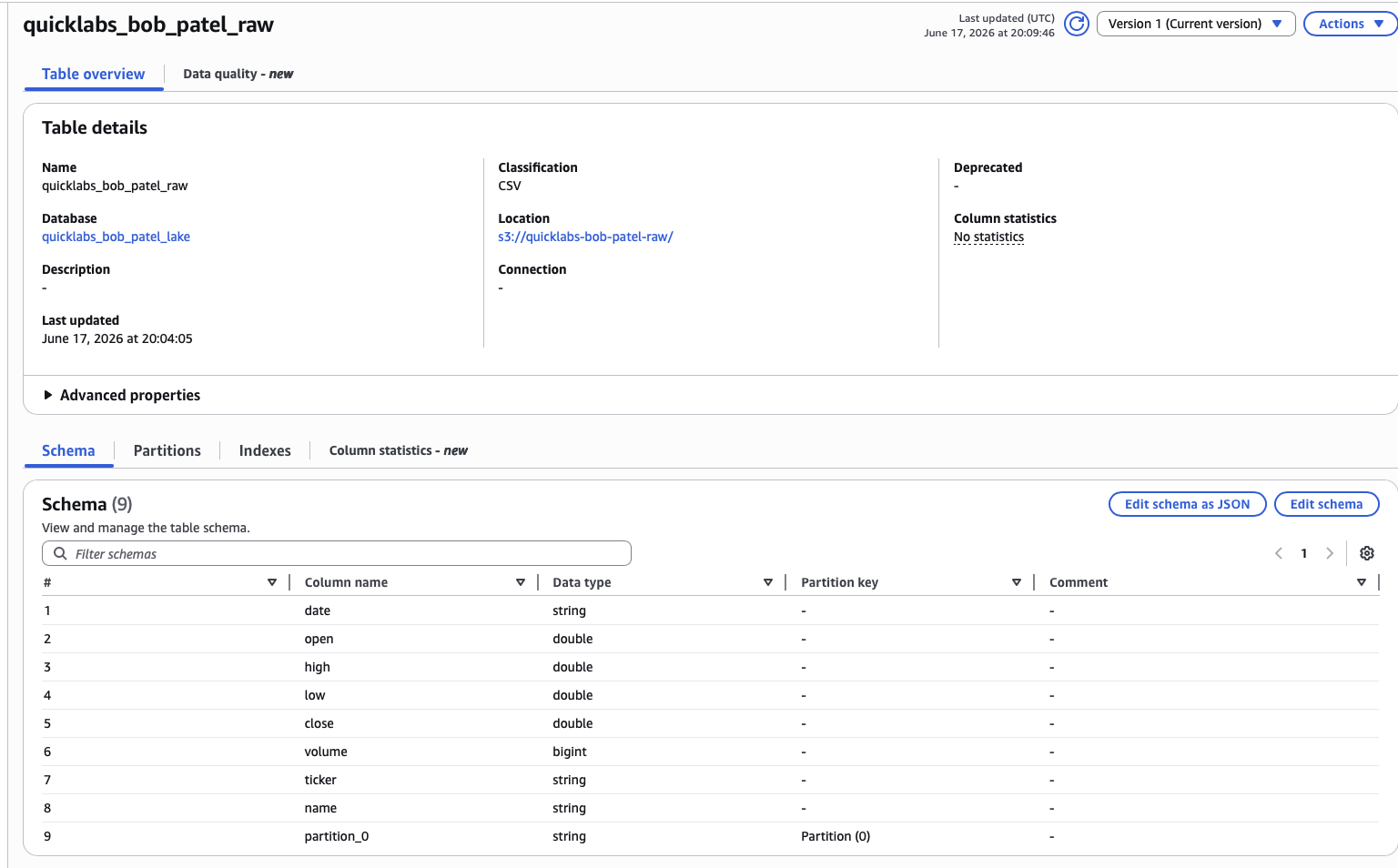
Click into raw_oil and check the schema — 8 columns: date, open, high, low, close, volume, ticker, name.
🤖 Ask AI — what just happened
I just ran an AWS Glue Crawler against a CSV file in S3 and it created a
table called raw_oil in the Glue Data Catalog with 8 inferred columns.
Explain in simple terms what the crawler actually did under the hood, why
this step doesn't move or copy my data, and what the Glue Data Catalog
conceptually is (e.g. how it relates to a "table" if there's no database
engine actually storing rows).
Part 5 — Query the raw table with Athena
5.1 Switch to your workgroup
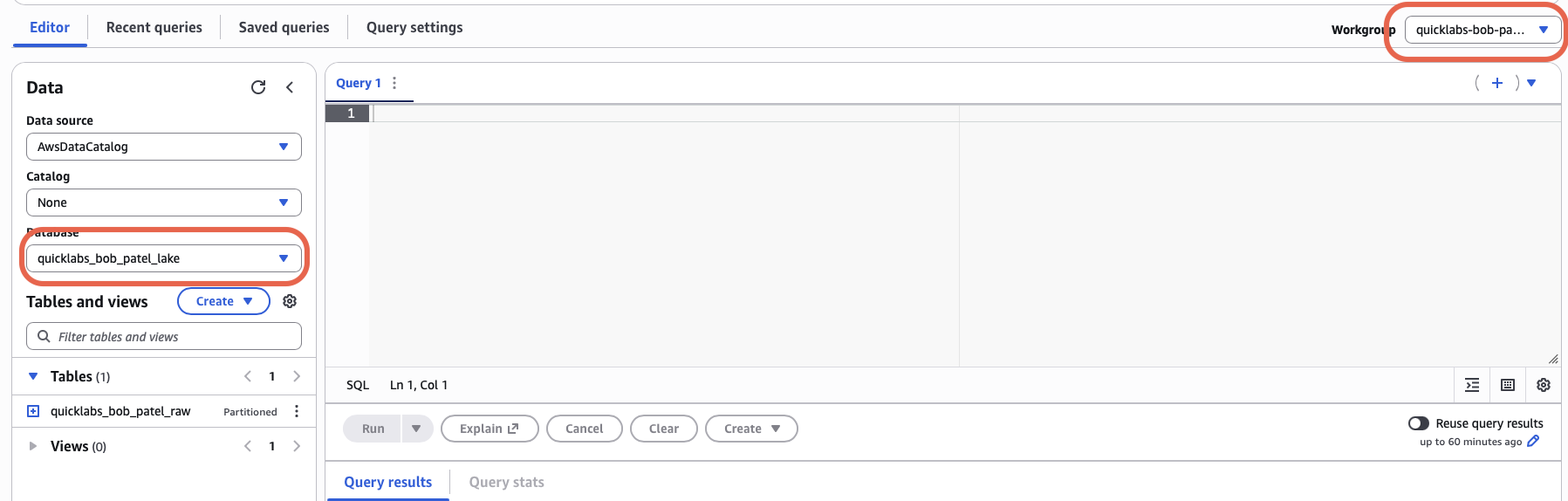
Athena → Editor. Top-left workgroup dropdown → switch to quicklabs-<USER>-wg (the default primary workgroup is denied for you). Pick quicklabs_<USER>_lake from the database dropdown on the left.
5.2 Run your first query
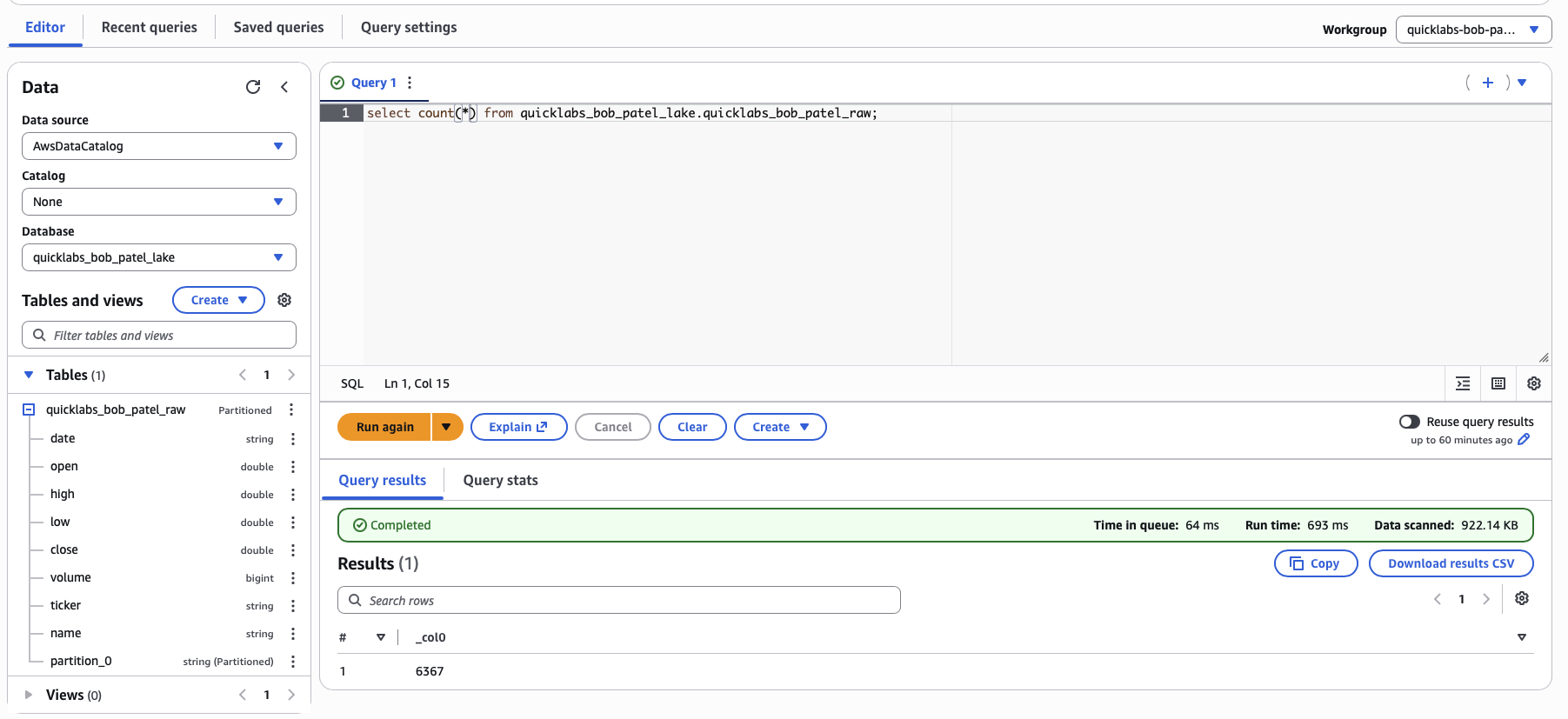
SELECT COUNT(*) FROM raw_oil;Expect 6367.
5.3 Explore a bit more
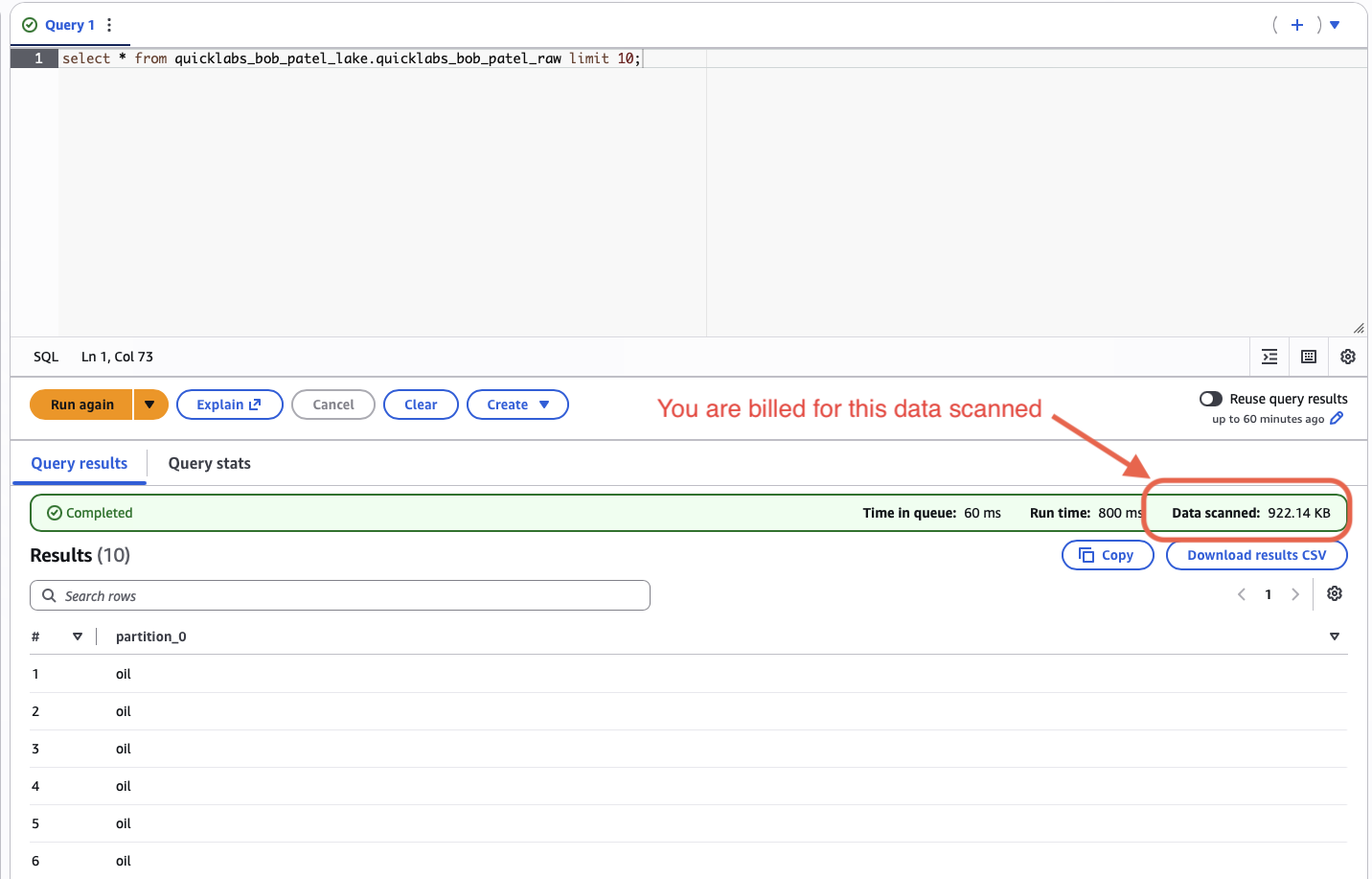
SELECT * FROM raw_oil LIMIT 10;

SELECT MIN(date), MAX(date) FROM raw_oil;
Note the "Data scanned" stat under the results — that's literally what you pay for with Athena. Keep this number in mind; you'll compare it later.
🤖 Ask AI — Athena pricing model
Explain how Amazon Athena pricing works (pay-per-query, based on data
scanned). Why does file format (CSV vs Parquet) and partitioning affect
the cost and speed of a query? Keep it to a short, concrete explanation
with a simple example using dollar amounts per TB scanned.
Part 6 — Create and run the ETL job
CSV is fine for small, ad-hoc lookups, but it's slow and expensive to scan at scale because every query has to read every byte of every row. The ETL job you're about to create converts the same data into Parquet — a columnar, compressed format — and partitions it by year, which lets Athena skip whole chunks of data it doesn't need.
6.1 Create the job
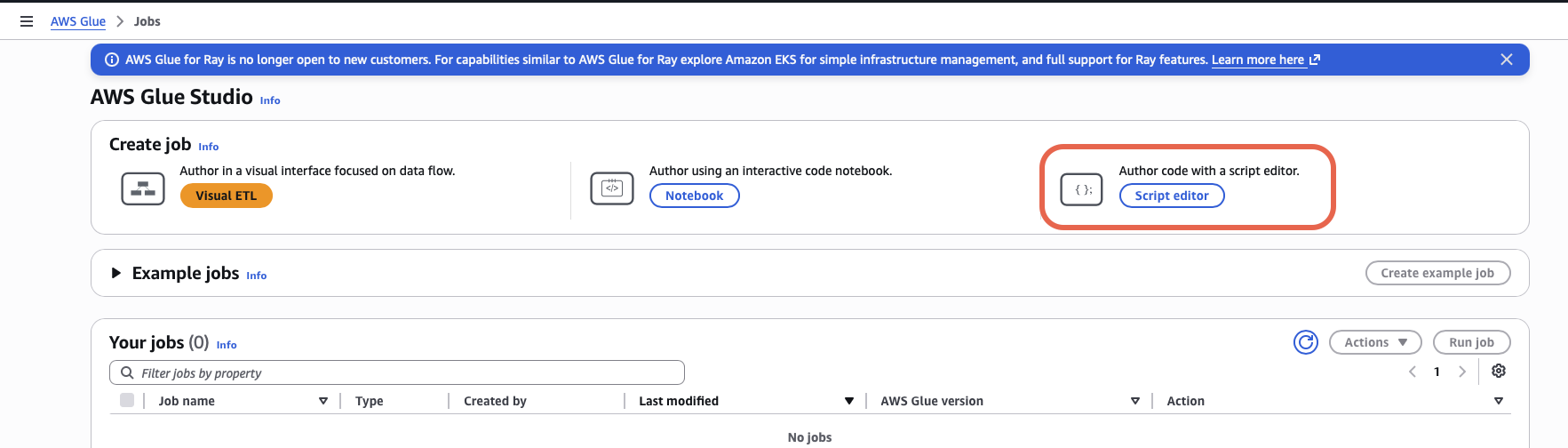
Glue → ETL jobs → Create job → Spark script editor.
- Choose Upload and edit an existing script → upload
oil_csv_to_parquet.py(or browse to it ins3://quicklabs-<USER>-scripts/). - Name the job
quicklabs-<USER>-oil-etl.
6.2 Configure the job details
In the Job details tab:
- IAM role:
quicklabs-<USER>-glue-role. - Glue version: 4.0.
- Worker type: G.1X, number of workers: 2.
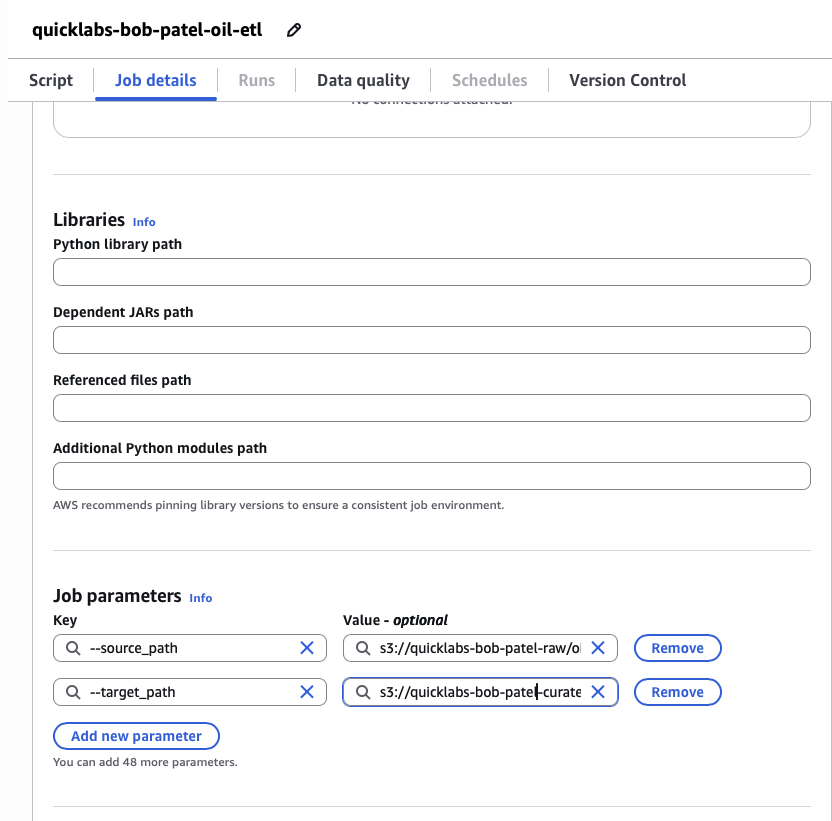
- Job parameters (under Advanced properties):
--source_path=s3://quicklabs-<USER>-raw/oil/Crude_Oil_historical_data.csv--target_path=s3://quicklabs-<USER>-curated/oil/
Save.
6.3 Run it
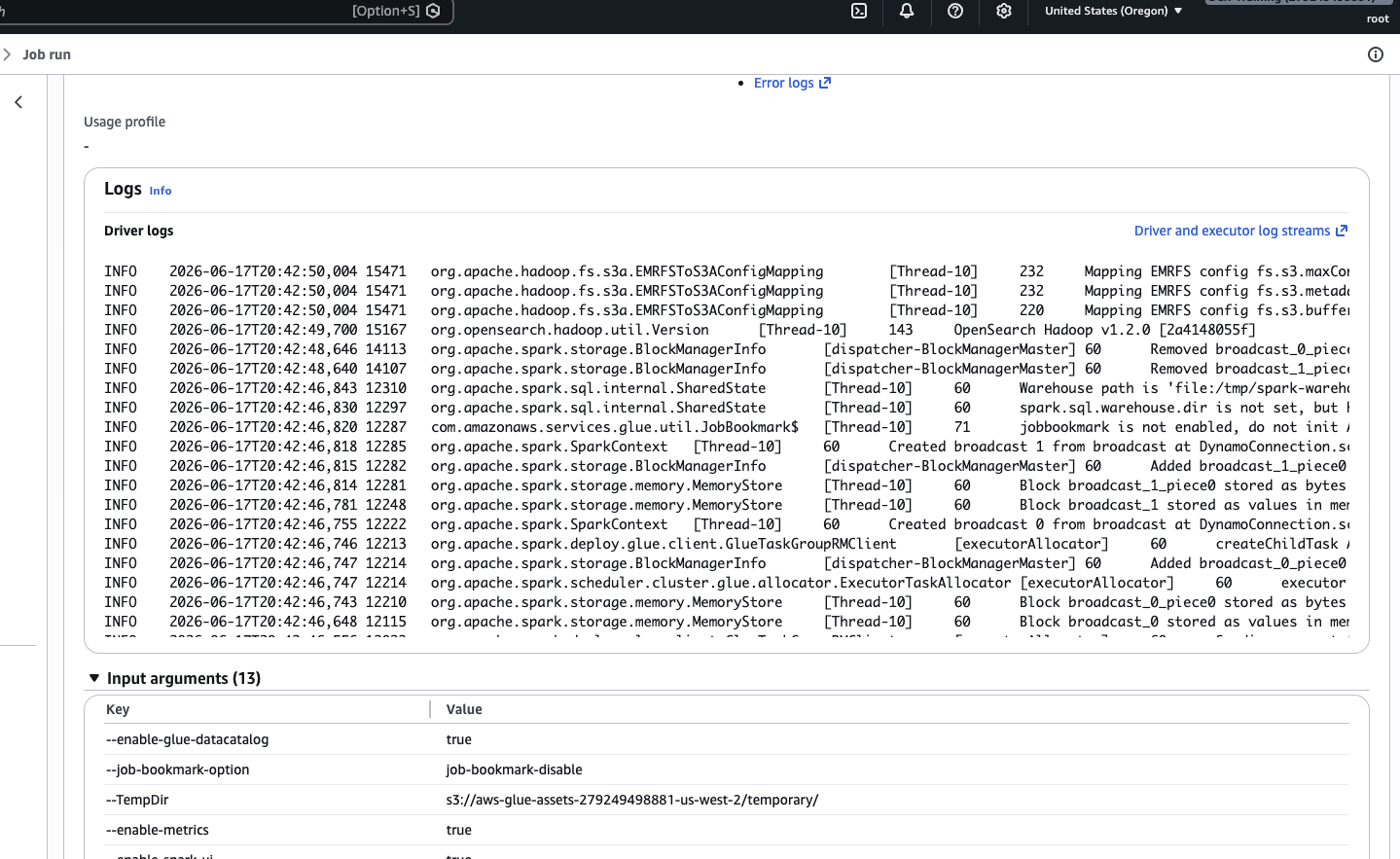
Click Run. Switch to the Runs tab and watch the status. Cold start takes ~1-2 minutes, then the job itself runs about a minute.
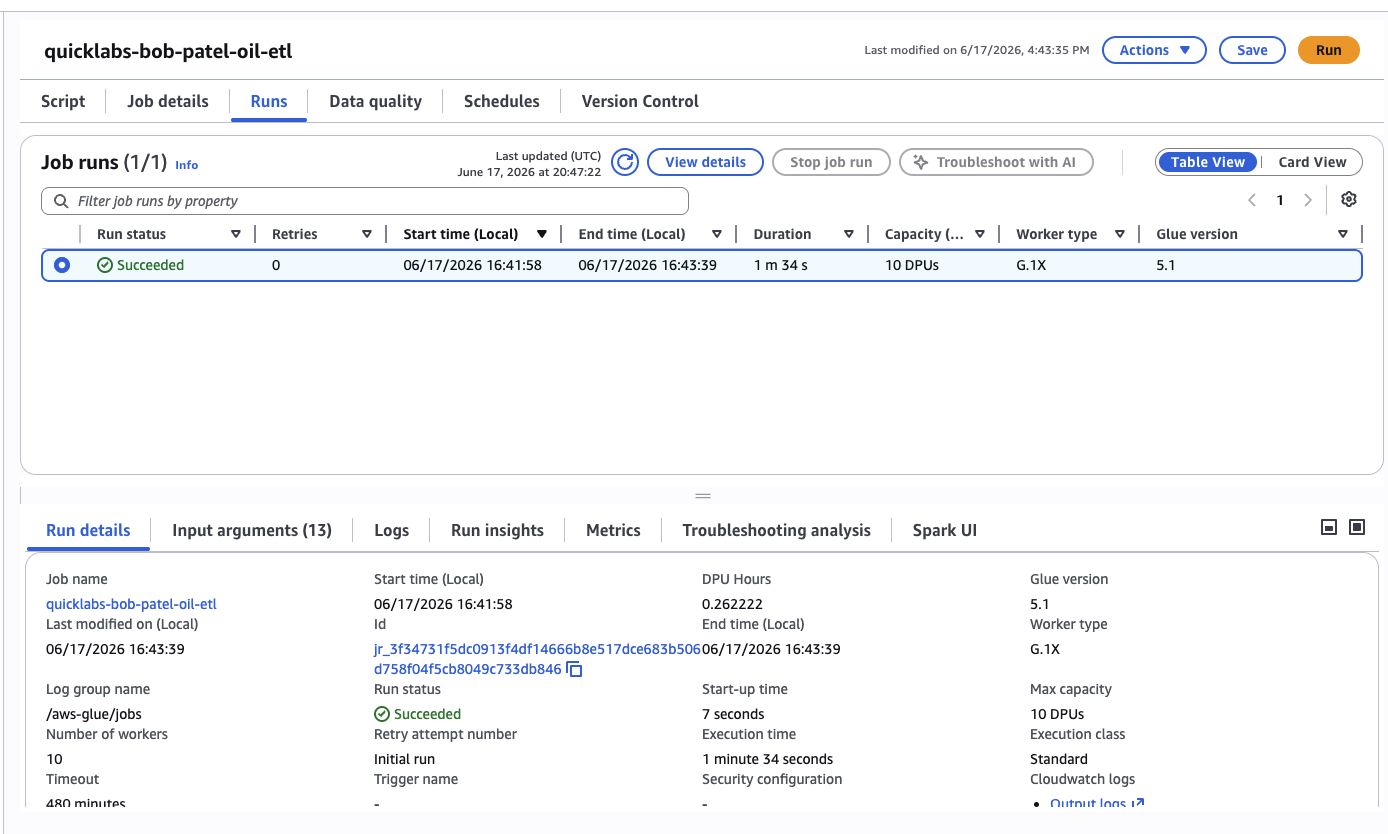
When it shows Succeeded, open the Output logs (CloudWatch link) — you'll see the script's print statements reporting rows in / rows out.
6.4 Confirm the output in S3
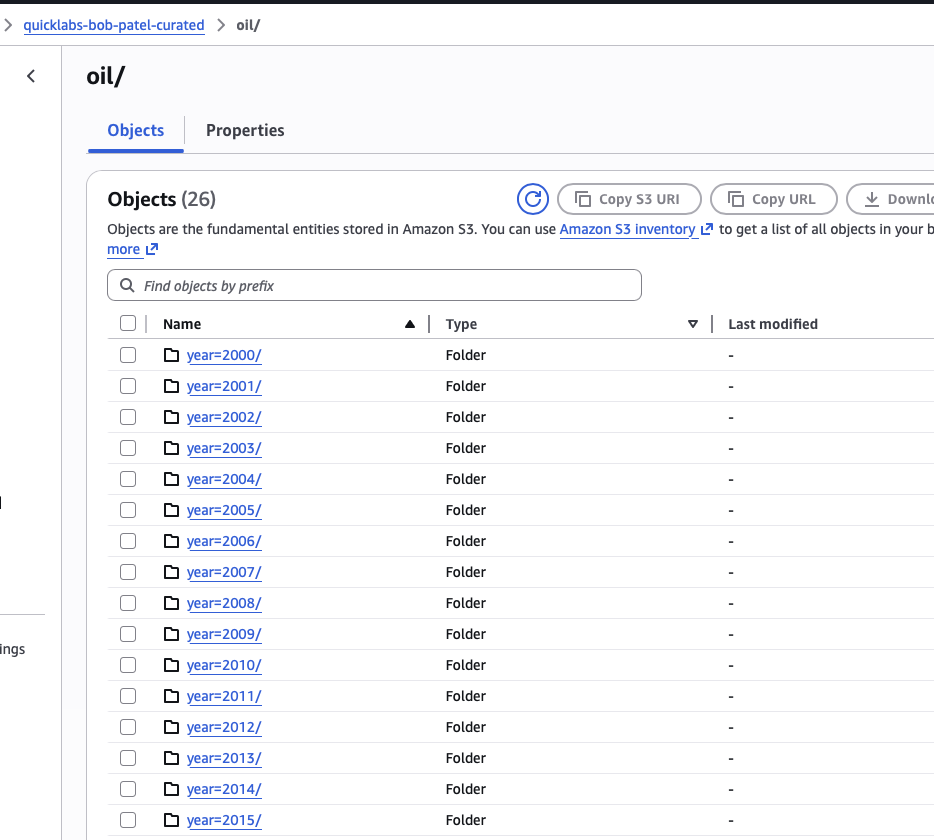
S3 → quicklabs-<USER>-curated/oil/ → you'll see folders year=2000/, year=2001/, ... year=2025/, each holding one .snappy.parquet file.
🤖 Ask AI — CSV vs Parquet
Explain the difference between row-based formats like CSV and columnar
formats like Parquet, specifically why columnar storage makes analytical
queries (e.g. "average closing price per year") so much faster and
cheaper to scan. Also explain what "partitioning by year" means in
practice and why it lets a query engine skip reading some files entirely.
Part 7 — Create the curated crawler and compare
7.1 Create and run a second crawler
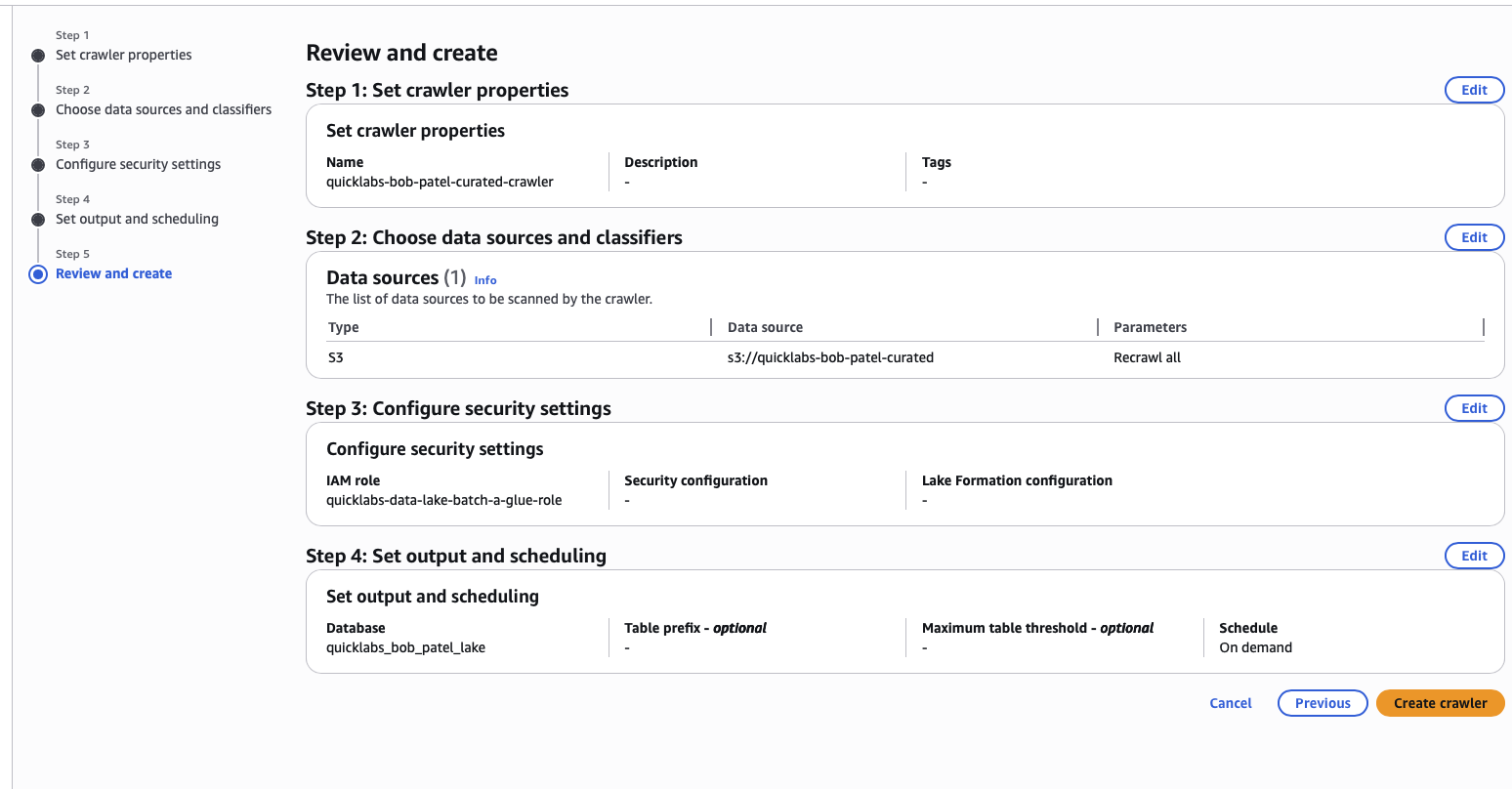
Glue → Crawlers → Create crawler, same as Part 4 but:
- Name:
quicklabs-<USER>-curated-crawler. - Data source:
s3://quicklabs-<USER>-curated/oil/. - Table prefix:
curated_.
Run it, wait for Ready.
7.2 Confirm the new table
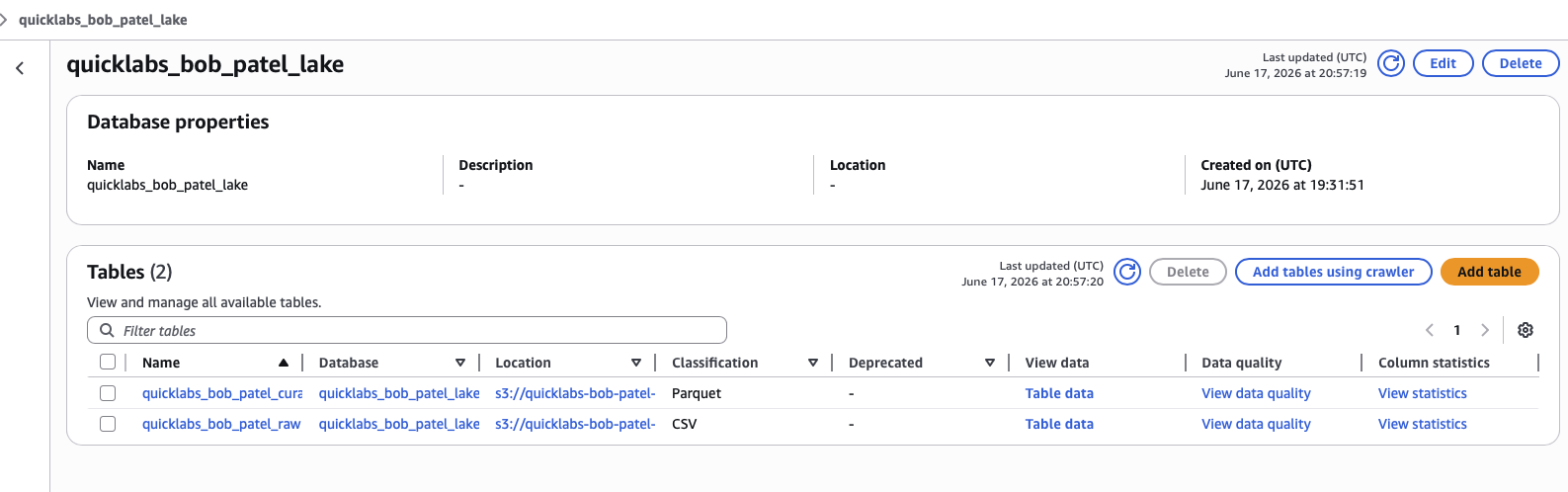
Glue → Databases → quicklabs_<USER>_lake → Tables → you now have curated_oil (Parquet) sitting next to raw_oil (CSV).
7.3 Query the curated table
SELECT year,
       COUNT(*)             AS days,
       ROUND(AVG(close), 2) AS avg_close,
       ROUND(MAX(high), 2)  AS yr_high,
       ROUND(MIN(low), 2)   AS yr_low
FROM curated_oil
GROUP BY year
ORDER BY year;
Expect 26 rows — one per year from 2000 to 2025.
7.4 Compare data scanned
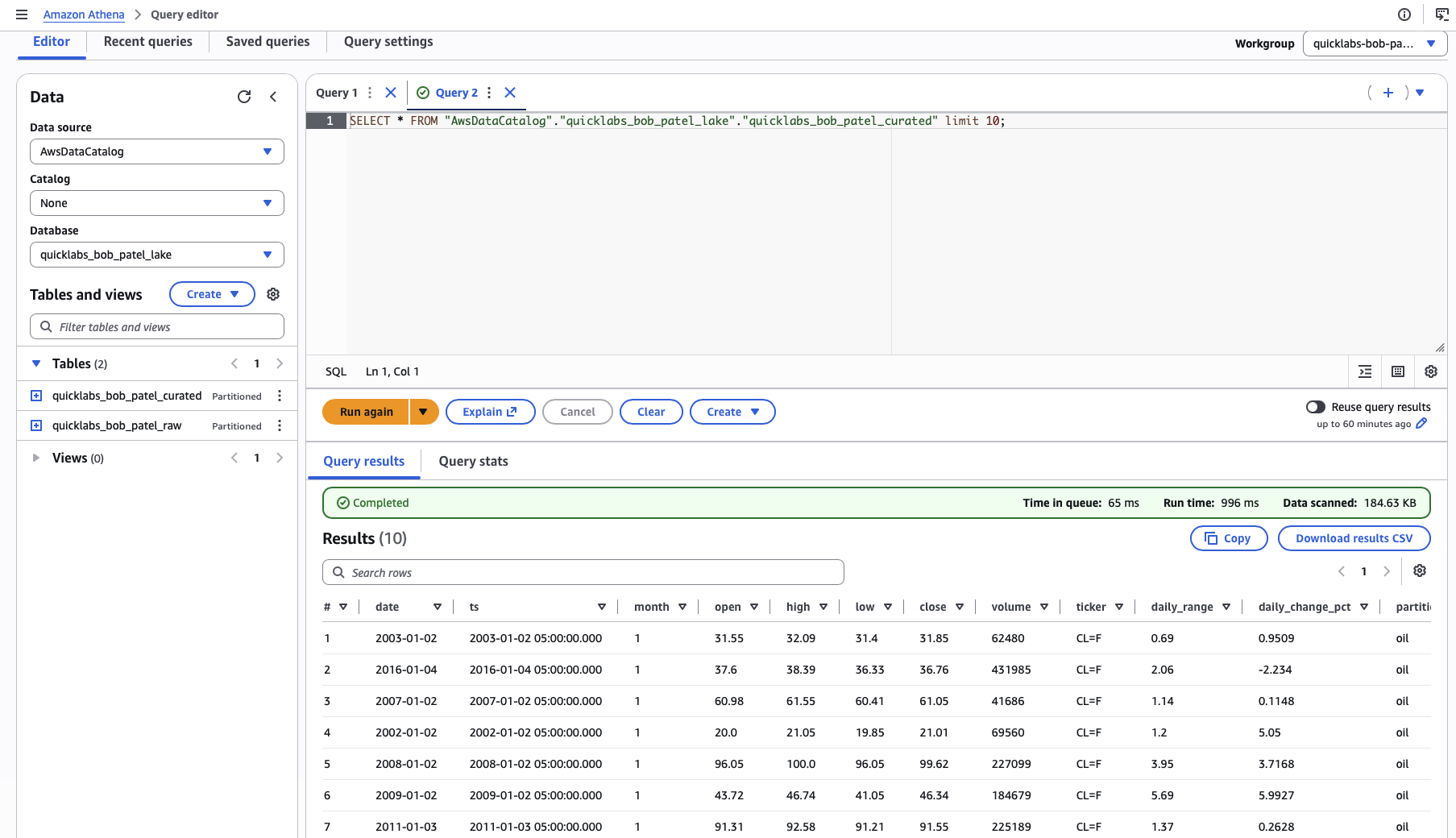
Run the same aggregation query against raw_oil and compare the "Data scanned" stat for each run side by side (the stat is shown directly under the query results, same place you saw it in Part 5).
The Parquet version scans roughly 10× less data than the CSV version for the same answer. At terabyte scale, that difference is the gap between a query that costs cents and one that costs real money.
🤖 Ask AI — wrap-up / explain it back
I just built a small AWS data lake from scratch through the console:
created S3 buckets, uploaded a raw CSV, cataloged it with a Glue Crawler,
queried it with Athena, wrote a Glue ETL job that transformed it into
partitioned Parquet, cataloged that too, and compared Athena's "data
scanned" between the CSV and Parquet versions of the same query.
Summarize what I learned as if explaining it to a colleague who knows AWS
basics but has never touched Glue or Athena, and explain why this pattern
(raw → catalog → transform → catalog → query) shows up in almost every
real-world data platform.
The pipeline is closed — raw CSV to analytics-ready Parquet, queryable with plain SQL, no servers to manage, and you built every piece of it.
Assignment — bring your own dataset
Pick any CSV dataset from Kaggle — stocks, weather, sports, whatever interests you — and run it through the same pipeline yourself, without a guide. Keep it under 100 MB to stay fast.
You've finished Chapter 2 of the AWS Data Engineer Roadmap. The next four chapters take this same lakehouse and extend it: event-driven ingestion with Lambda and SQS, fine-grained governance with Lake Formation, federated queries with Redshift Serverless, and change data capture with DMS — the rest of the production data platform stack.
Want to bring this to your team? Book a free 30-minute call for consultation or a custom workshop/training.
Book a Free ConsultationI publish new labs every week.
Get them in your inbox — free, no spam.
Want your team hands-on with this in a day? We run this as an instructor-led team workshop.
Explore team workshops